
For product designers on a Mac
Change the real product, not a picture of it.
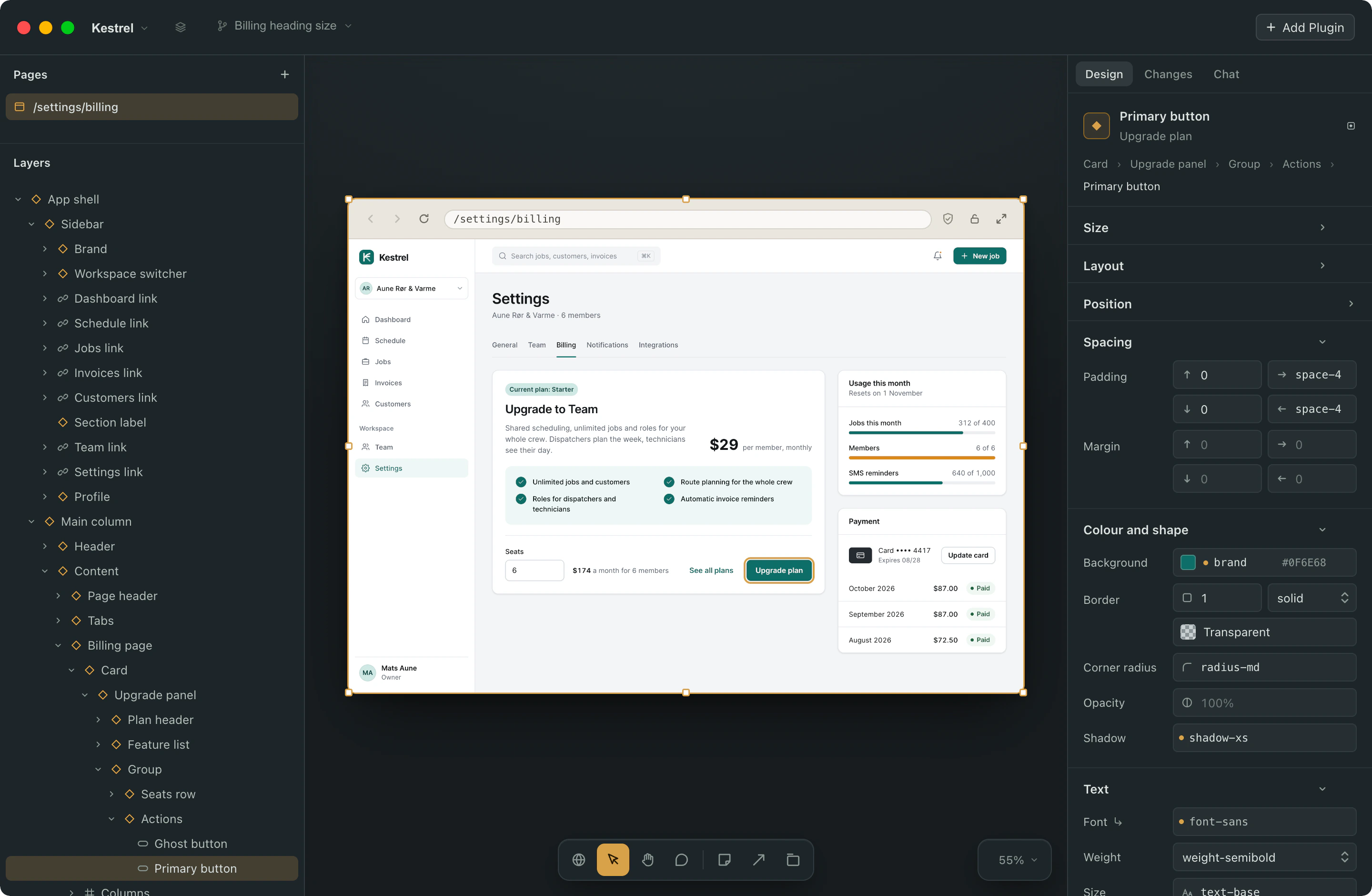
Something runs your product on a canvas. Click a button, a heading, a colour, and change it right there. The code is written for you, and your developers get it as a pull request, the kind they review every day. No Terminal, no Git to learn.
You are on the list. One email when the first build is out. It has a link to take your address off.
Free for one project. For Apple silicon Macs. Works with the Claude Code, Codex or Gemini CLI you already pay for.
What it is
Most design tools show a developer what you meant. This one changes the thing itself.
You know the loop. You fix a heading in Figma, write "see attached", and wait a week for someone to type it in. A token changes and four hundred screens in the file are wrong, and nobody updates them. The file was the source of truth in name only.
Something opens the product itself. Every element on the canvas knows which file it came from and which token its colour or spacing belongs to. Change it and the code changes. There is no second file to keep in sync.
Figma stays where it is. This is the step after.
Where it fits
- Figma and Sketch
- They draw what the product should be, and Figma Make is starting to reach into code. Something does not draw. It opens the product you already ship.
- Cursor and Copilot
- Code editors for developers. Something starts from the screen, and it knows which values are your tokens.
- v0 and Lovable
- They build new things outside your product. Something edits the one you have.
- Builder.io and Onlook
- The closest kin: visual editing on a real codebase. Builder connects its service to your repository; Onlook is open source, React first, local or hosted. Something runs on your Mac alone, on the AI subscription you already have, inside your tokens and your checks, and sends a pull request under your own GitHub login. No vendor of ours in between.
How a change gets made
Open your project
Point it at the folder, or import from GitHub. It works out how to start the product and where your tokens live, then runs it as a draft you keep or throw away.
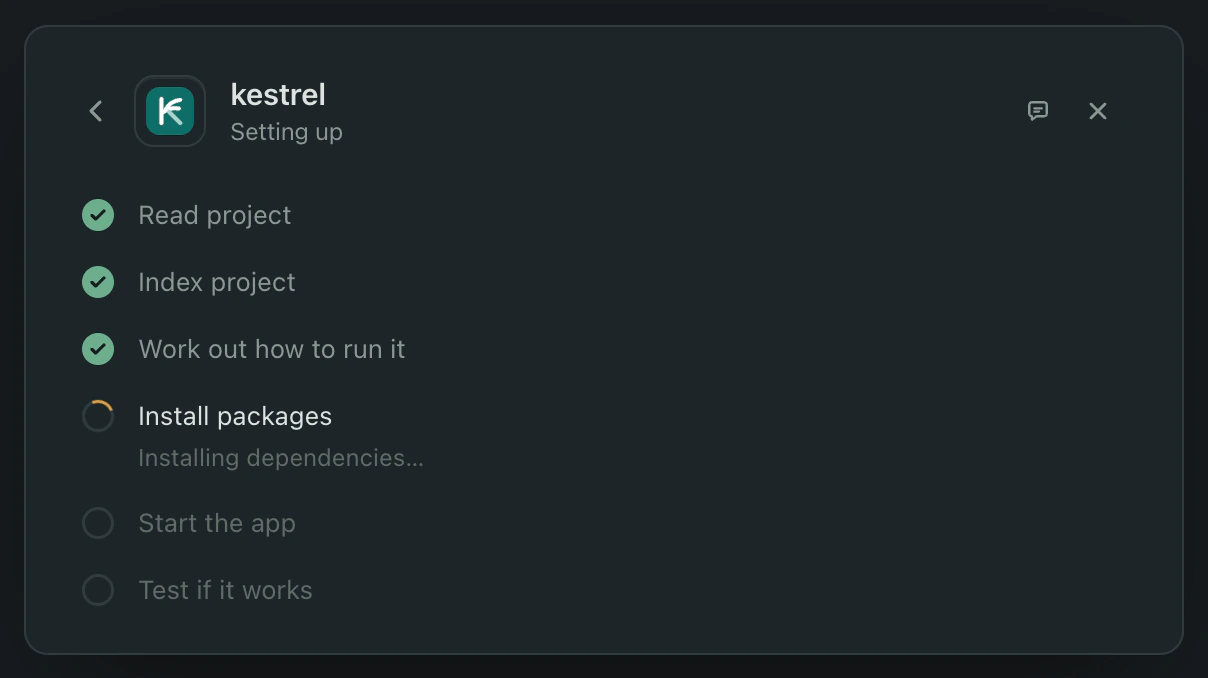
It shows you the plan first. No command runs until you say yes, and you watch each step as it happens. Click anything
Press ⌘I and click a button, a heading, a price. The panel says what it is and which token each value comes from. If a value is set somewhere else, it points there, so you change the right thing.
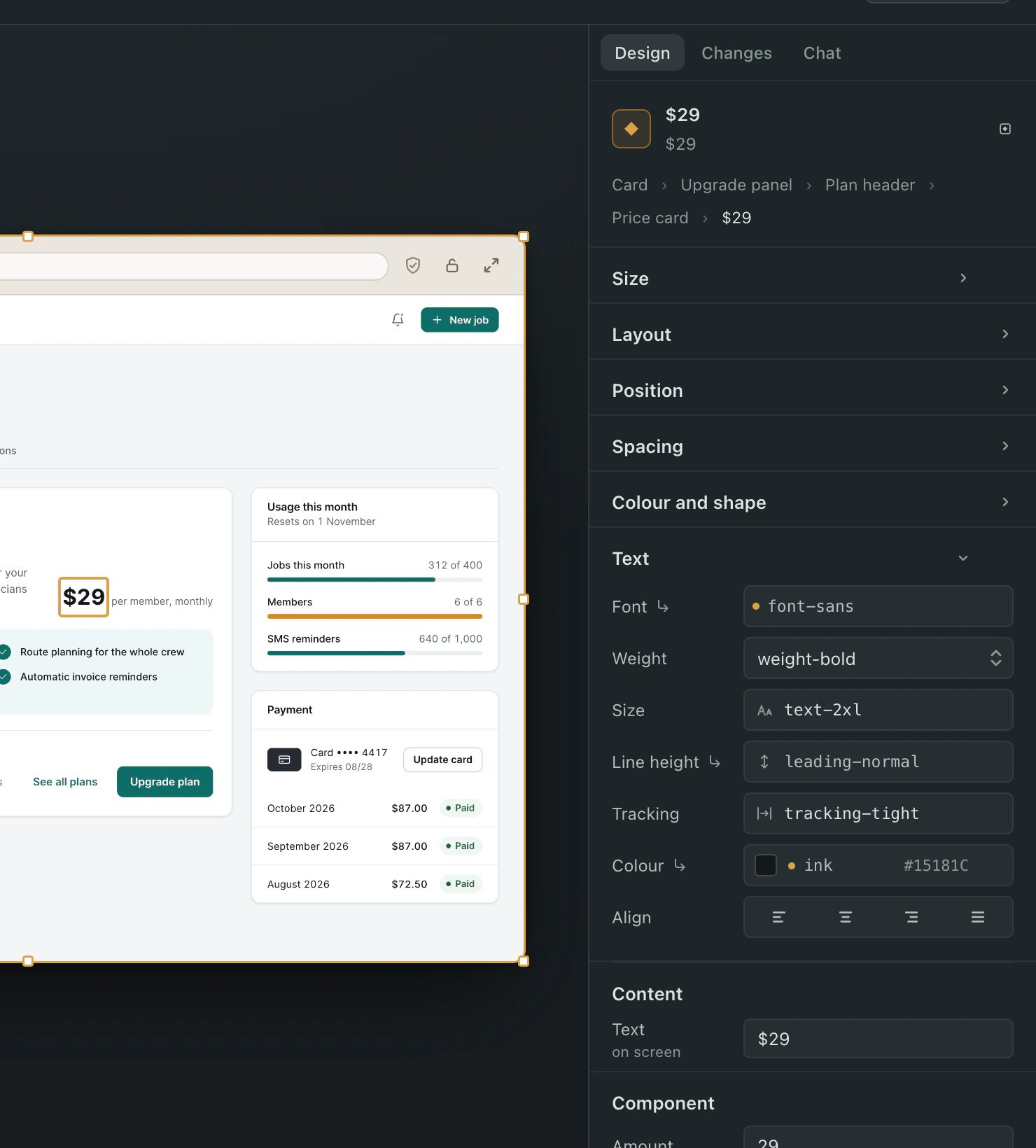
The price's size and weight are tokens, shown by name. Its colour comes from the card around it, so the panel dims it and points there. Change the card, not the price. Change it, or ask
Type a value, pick a token, or say it in words. You see the change on the running product before a line of code is written, and you can hold to compare. If the value is shared, it tells you how far the change reaches, and you choose.
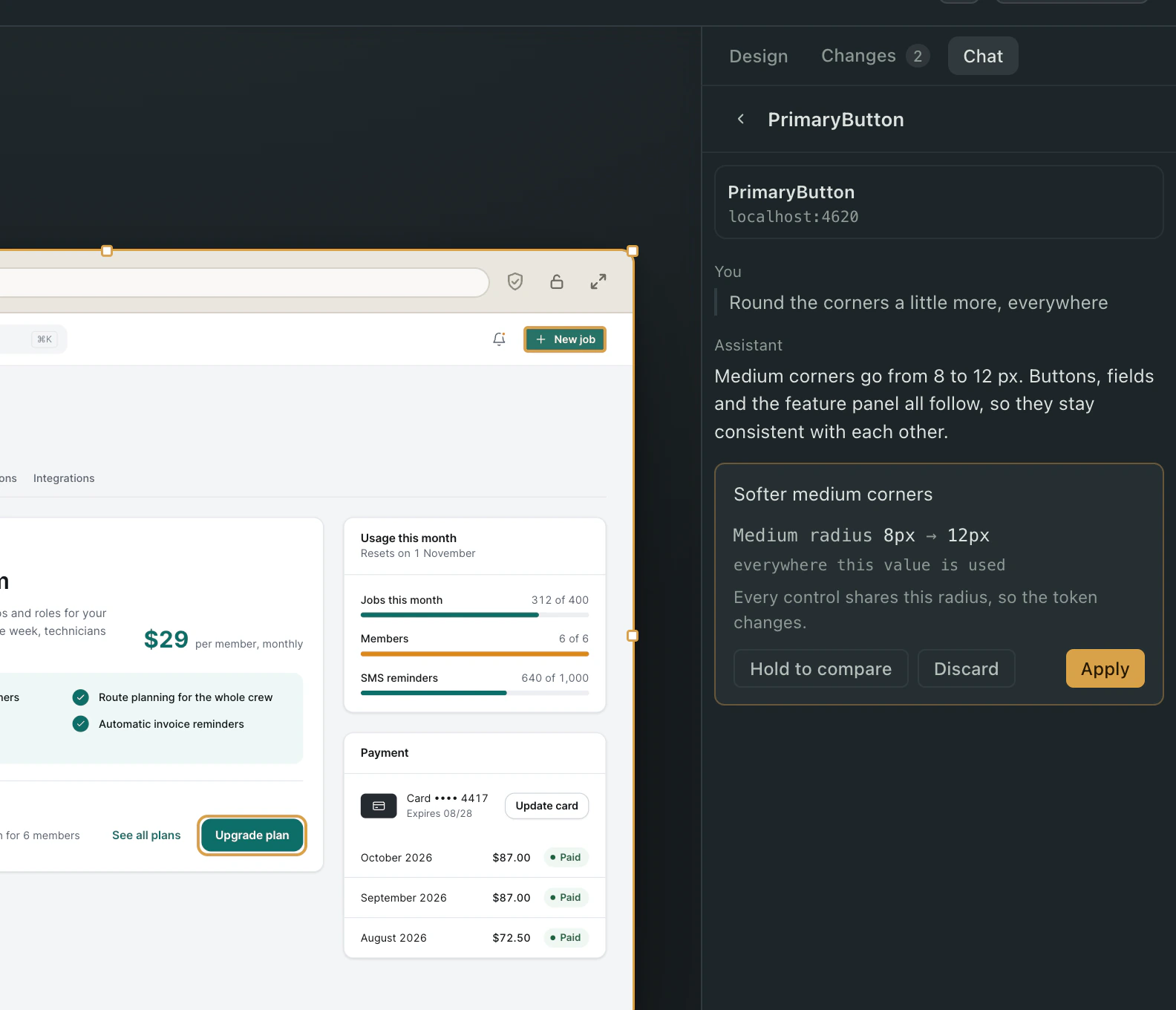
"Round the corners a little more." The assistant found the one token every corner uses and proposes changing that, so the whole product rounds together. Hold to compare, then Apply or Discard. Send it for review
Send for Review writes the title and summary from what you changed. Edit them if you like. Your developer opens a pull request that lists each change, old value to new, and the page to look at.
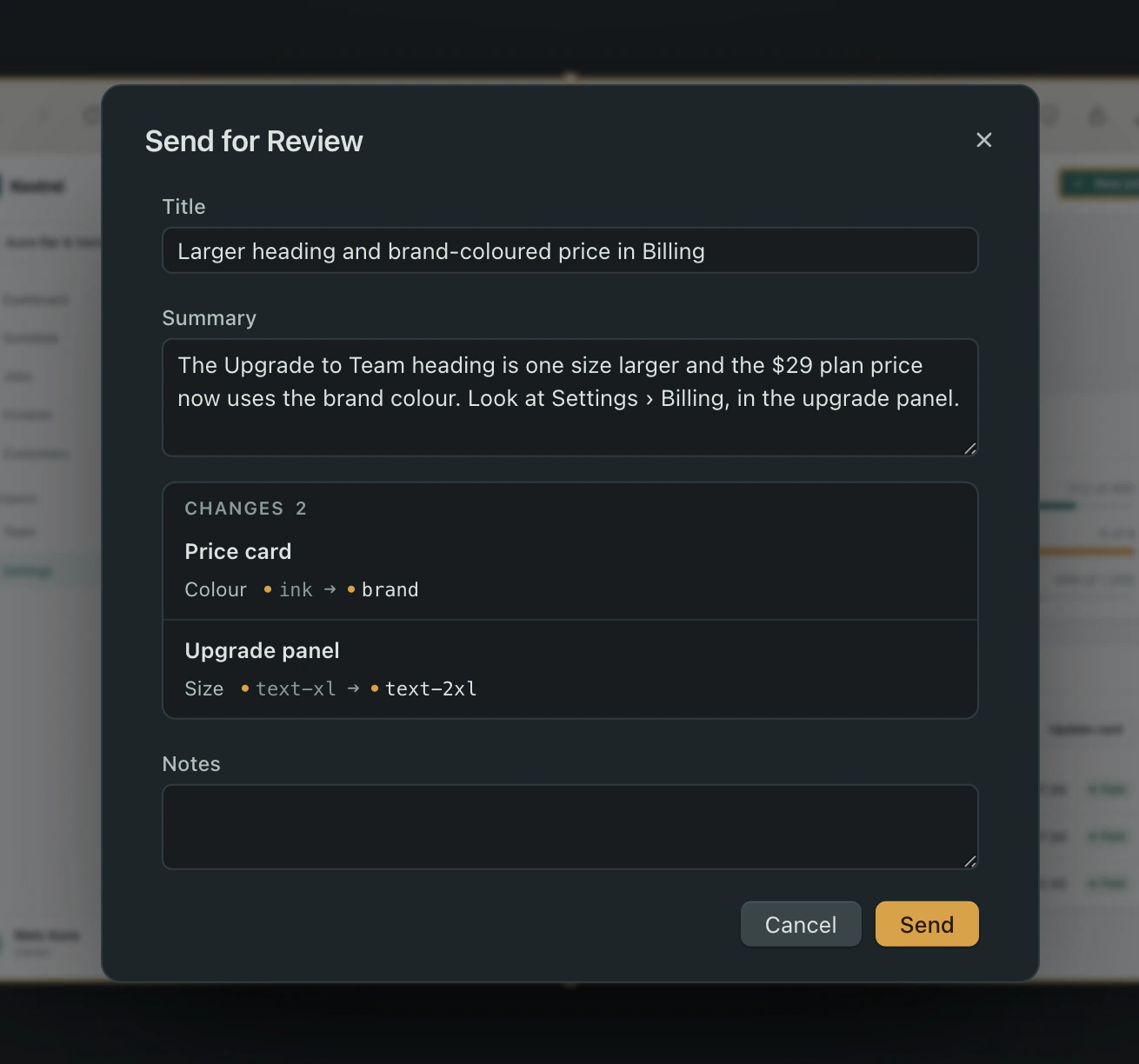
The title and summary are written from your changes. Both are yours to edit. 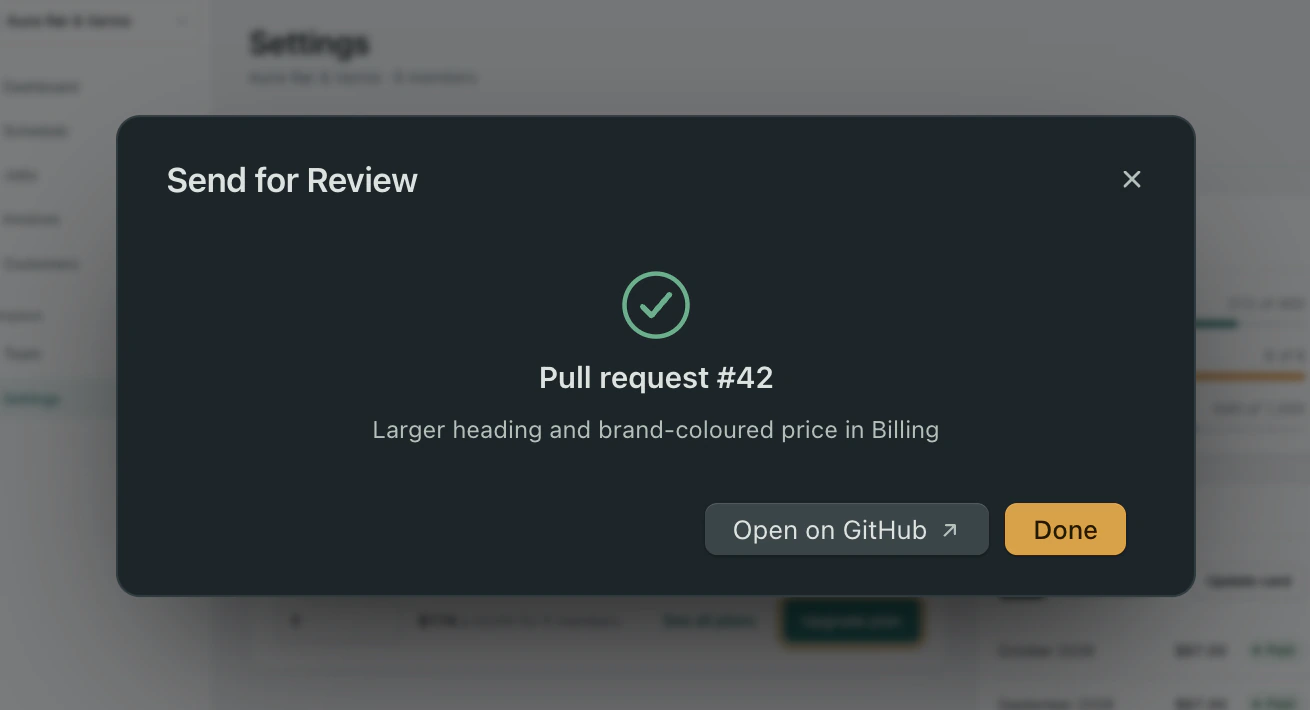
Sent. The pull request is on GitHub, and its number is here so you can find it.
It stops you before you break the product
Your change is already on screen before it is written. So the checks run against what you see.
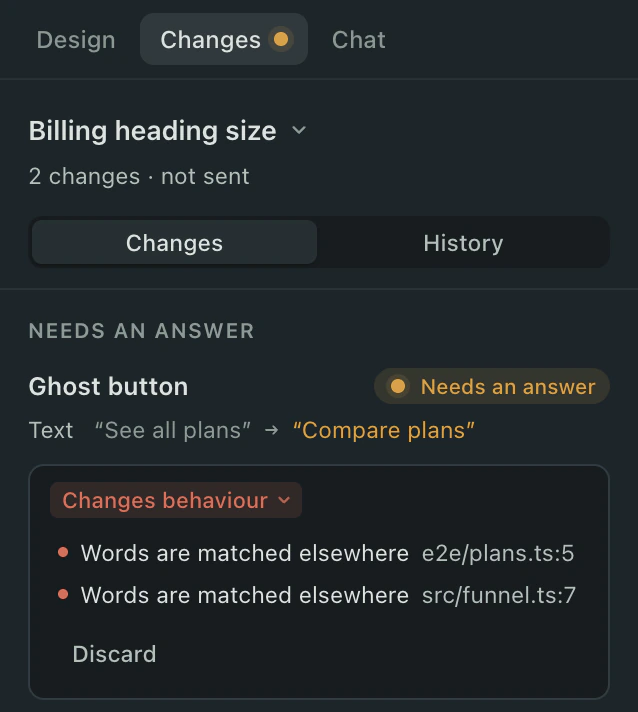
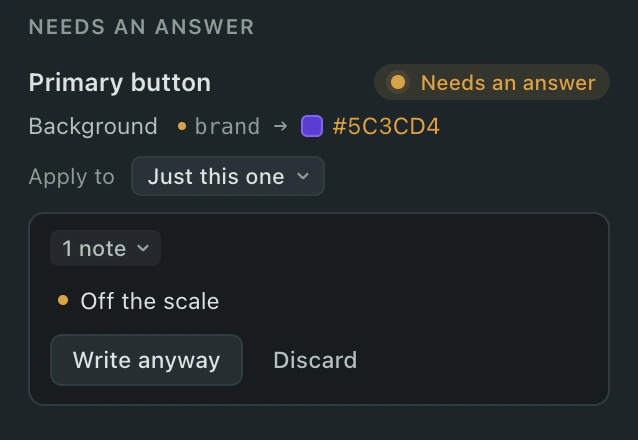
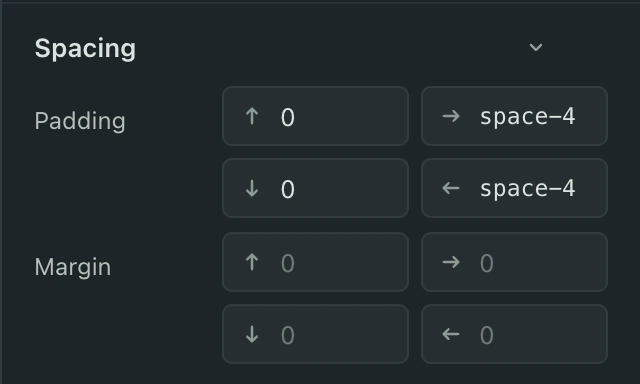
Three questions, in this order.
- Does it still work?
- A button that runs code when clicked. Words a test matches. A setting that is behaviour, not looks. None of that shows on screen, so this is the one check that stops instead of warning. It says which kind of engineer can take it on.
- What does it cost the system?
- A typed value where a token already exists. A value on no scale. A shared value splitting again. This is advice: the better move is one click away, and so is Write anyway.
- Is there a simpler way?
- When what you asked for is more work or more fragile than it looks, the assistant names the nearer thing that gets most of it. It never talks you out of anything.
The screen is checked too: anything that disappeared, text over text, words cut off, a control too small to press, contrast.
It knows your design system
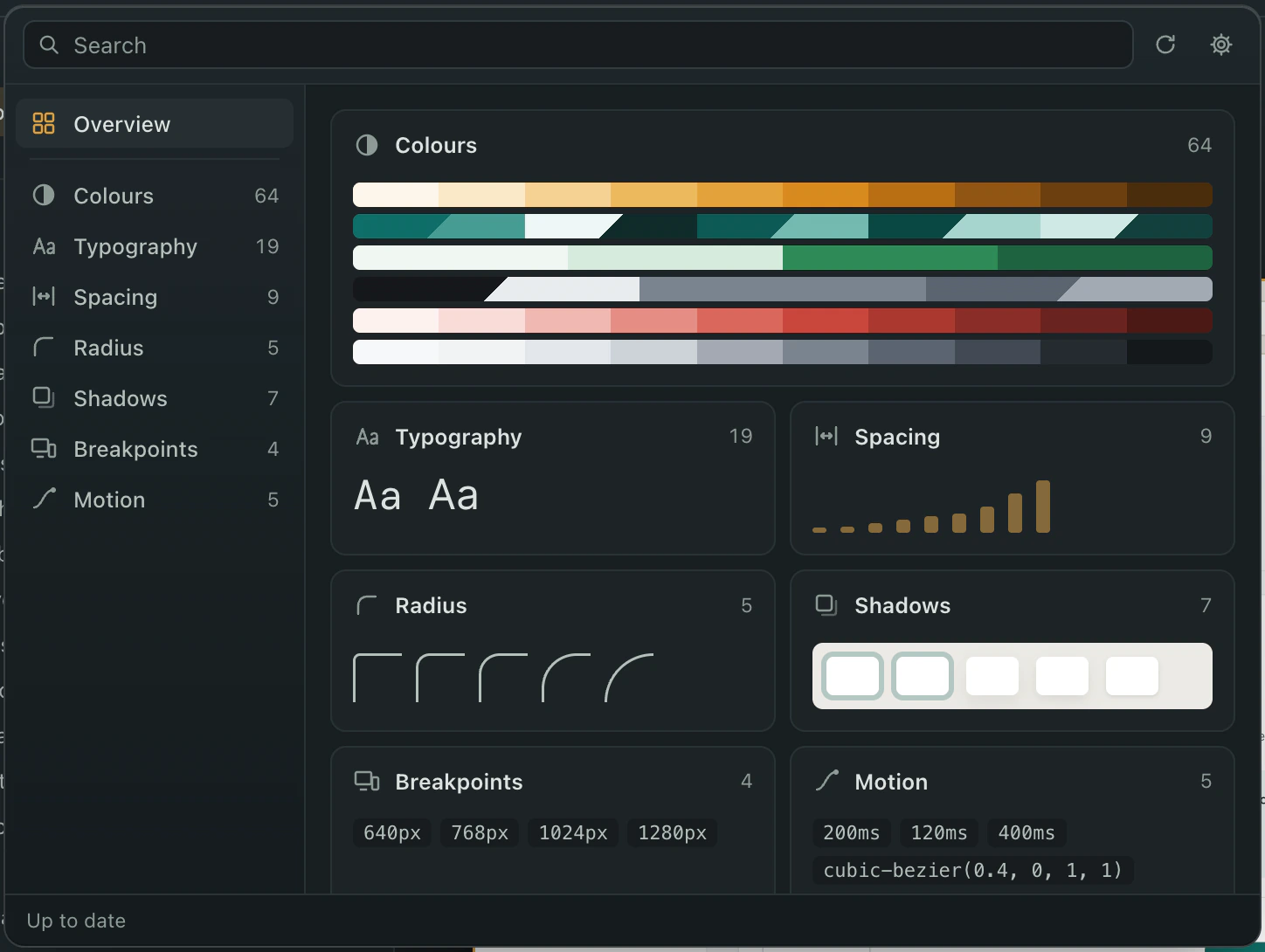
Your tokens are read from the files where they are defined and offered by name: colours, type, spacing, radius, shadows. A colour that is already a token is never offered as a hex, so changing it stays a change to the system rather than a hole in it. Type a value the system does not have and it asks whether you meant the nearest token.
For design-system teams
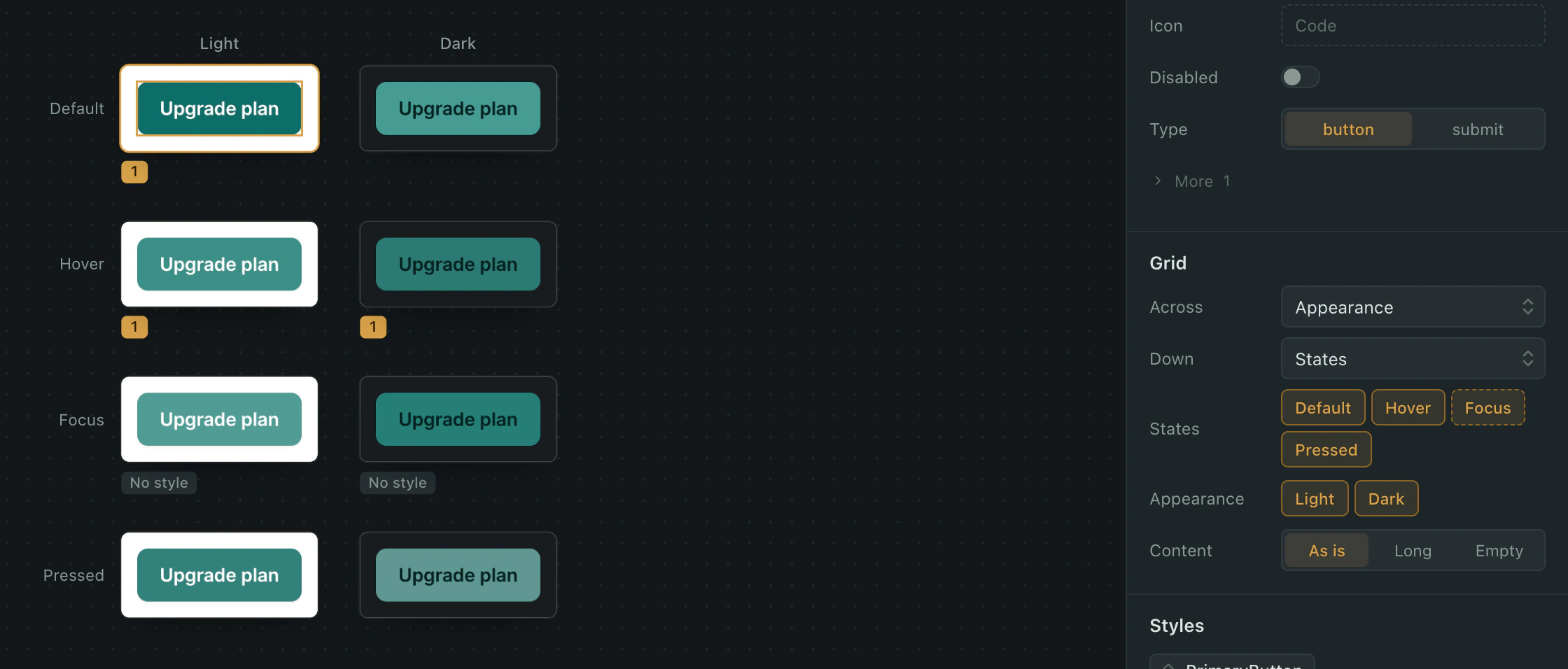
Every state, from the code
Open a component and see every size in every state, light and dark, from the code. A state nobody styled says "No style" instead of pretending. Under it, every file and line the component is used from, so "what breaks if I change this" has an answer before you change it.
A design system in its own repository can be linked. A change to it goes out as two pull requests, the system first.
Your code stays on your Mac
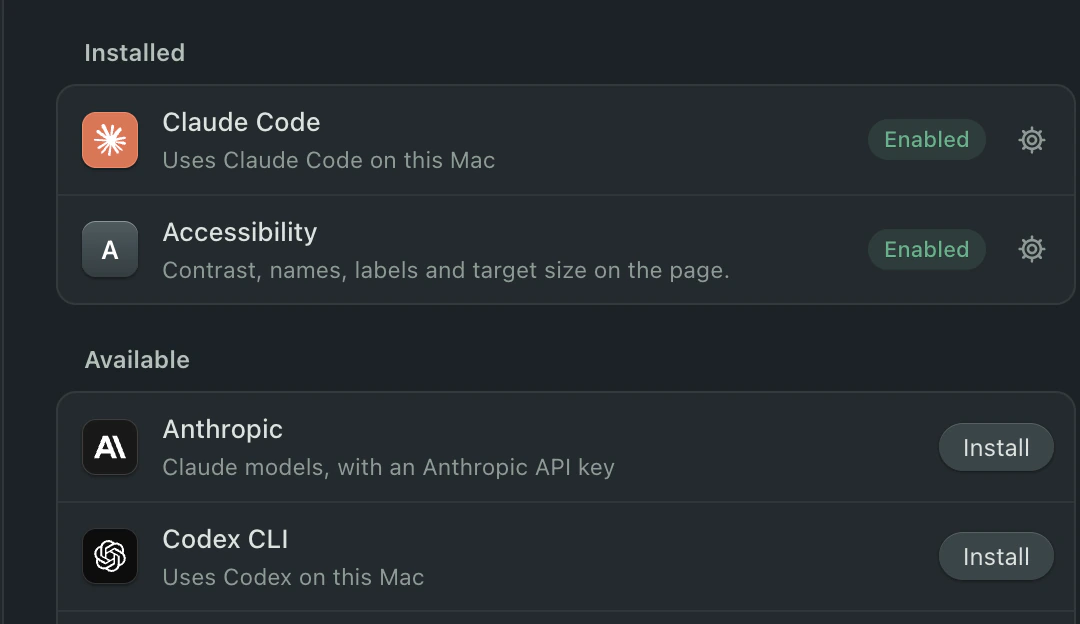
The product runs on your Mac. The AI is the Claude Code, Codex or Gemini CLI you already sign in to, or your own key, so prompts go to your account and nobody else's. No part of the repository reaches us. Pull requests go to GitHub under your own login.
For the developer who reviews it
It's a pull request. Branch protection, CODEOWNERS and your required checks apply, because nothing goes around them. The diff is the line that should have changed, with the token where a token exists. A change the checks can see would touch behaviour never reaches you. It was refused before it was written.
Yes, a designer with Cursor could do this. Cursor will also write a raw hex, change a handler and touch twelve files. This refuses the first two and asks about the third.
| @@ -5,12 +5,12 @@ |
| .intro { display: grid; gap: var(--space-3); align-content: start; } |
| .top { display: flex; justify-content: space-between; align-items: flex-end; gap: var(--space-6); } |
| .footer { display: flex; flex-wrap: wrap; justify-content: space-between; align-items: flex-end; gap: var(--space-4); padding-top: var(--space-5); border-top: 1px solid var(--line); } |
| Removed: .heading { font-size: var(--text-xl); font-weight: var(--weight-semibold); } |
| Added: .heading { font-size: var(--text-2xl); font-weight: var(--weight-semibold); } |
| .lede { color: var(--ink-muted); max-width: 440px; } |
| .actions { display: flex; gap: var(--space-2); align-items: center; } |
| .price { display: flex; align-items: baseline; gap: var(--space-2); white-space: nowrap; } |
| Removed: .amount { font-size: var(--text-2xl); font-weight: var(--weight-bold); letter-spacing: var(--tracking-tight); } |
| Added: .amount { font-size: var(--text-2xl); font-weight: var(--weight-bold); letter-spacing: var(--tracking-tight); color: var(--brand); } |
| .per { font-size: var(--text-sm); color: var(--ink-muted); } |
| .features { display: grid; grid-template-columns: 1fr 1fr; gap: var(--space-3) var(--space-5); margin: 0; padding: var(--space-5); list-style: none; border-radius: var(--radius-lg); background: var(--brand-faint); } |
What it does not do yet
It edits what exists. New screens, components and routes are not in this version.
Precise editing (click an element, know its component and its line) needs a React project. On any other site you still get comments, screenshots, page states and the checks, but clicking selects nothing. It runs on Apple silicon Macs, and pull requests go to GitHub. It brings no AI of its own; you sign in with the one you have.
Every one of those is on the roadmap or decided against on purpose.
Pricing
Reviewers and billing admins are always free.
Plans open with the first release. These are the launch prices.
- Free
- $0
- One project, pull requests to your own repositories.
- Solo
- $15 an editor a month billed yearly, $19 monthly
- Pull requests to company repositories, five projects.
- Team
- $32 an editor a month billed yearly, $39 monthly
- Unlimited projects, linked design-system repositories, a shared team with an admin.
- Enterprise
- From $65 an editor a month, billed yearly
- Invoicing, a DPA and a named contact. SSO, SCIM and audit-log export on request.
Team comes with a 14-day trial, no card.
Try it on your own product.
You are on the list. One email when the first build is out. It has a link to take your address off.